AI in Web Development: Transforming Frontend, Backend, and the Developer Experience
Introduction: The AI-Driven Web Development Era
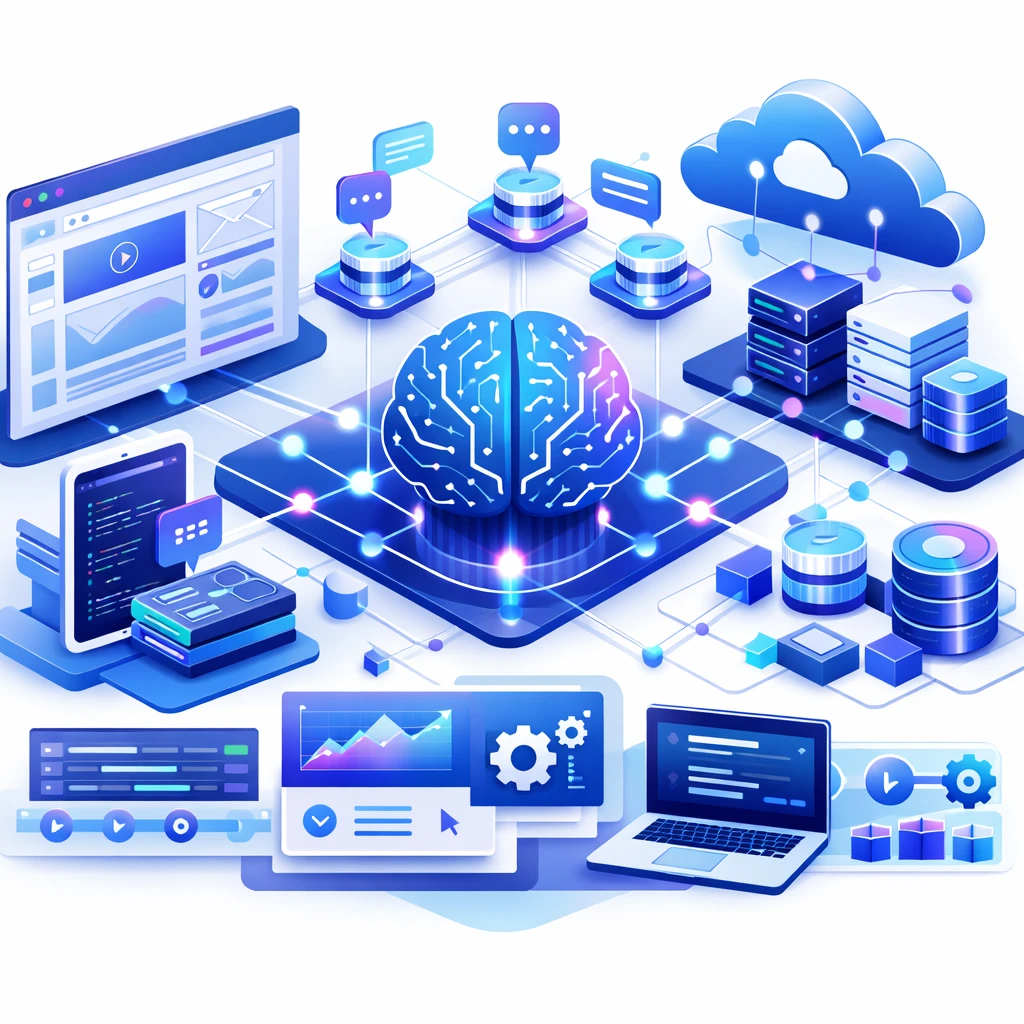
Artificial intelligence is no longer a distant future concept reserved for sci‑fi. In modern web development, AI is a practical, strategic partner that accelerates delivery, enhances quality, and expands what teams can achieve. From automating repetitive UI tasks to helping design adaptive experiences and enabling smarter backends, AI is reshaping every layer of the web stack. This massive guide dives into the state of the art, concrete workflows, and battle-tested patterns that elite software teams rely on to implement AI ethically, securely, and with measurable impact.
AI-assisted Design and UX: Automating Creativity with Guardrails
Designing for the web has always balanced aesthetics, accessibility, and performance. AI expands the design palette by proposing layout options, generating color schemes, and suggesting typography scales that align with brand constraints. More importantly, AI can help teams scale design tokens, accessibility checks, and personalization rules without sacrificing consistency.
- Generative design for layouts: AI can propose multiple composition options based on content hierarchy, user goals, and device constraints, letting designers explore variants rapidly.
- Adaptive UI and personalization: AI models can drive real-time UI adaptations based on user context, behavior, and preferences while preserving brand voice.
- Accessibility baked in: AI can automatically flag color contrast issues, missing alt text, keyboard navigation gaps, and semantic structure problems during iteration.
- Design tokens automation: Tokens for typography, spacing, color, and elevation can be synchronized across platforms (web, native, and design tools), reducing drift between design and implementation.
AI-powered Frontend Development: Code, Quality, and Speed
The frontend landscape benefits enormously from AI-assisted code generation, autocomplete, refactoring suggestions, and automated testing. The most salient gains come from reducing boilerplate, accelerating repetitive tasks, and catching issues early. However, AI-assisted development is not a replacement for human judgment; it is a tool that augments capabilities when used with guardrails, reproducible prompts, and strong governance.
Key capabilities include:
- Code generation and completion: Contextual suggestions, boilerplate scaffolding, and even cross-cutting concerns like accessibility attributes can be auto-generated to accelerate sprint work.
- Code quality and consistency: AI can enforce style guides, naming conventions, and architectural patterns across a codebase, reducing cognitive load for new contributors.
- Automated testing and mocks: AI can generate tests, stub APIs, and create realistic data scenarios that exercise critical paths.
- Performance and accessibility checks: Inline hints about bundle size impact, render blocking, and focus management help maintain user experience as code evolves.
AI in Backend & API Design: Smarter Data, Smarter Interfaces
Backend systems increasingly leverage AI to improve data validation, routing, anomaly detection, and natural language interfaces. LLMs can draft API contracts, generate documentation, and provide intelligent defaults for data schemas. The right approach is to separate concerns: leave critical business logic in deterministic, testable code, and use AI to accelerate the drafting, exploration, and orchestration layers while maintaining strict governance over inputs, outputs, and data provenance.
- LLM-assisted API design: AI can generate API shapes, docs, and sample payloads, which engineers then refine and codify as formal contracts (e.g., OpenAPI).
- Data validation and schema evolution: AI-assisted validators help detect schema drift, surface edge cases, and propose migrations with rollback strategies.
- Intelligent routing and orchestration: AI can learn from traffic patterns to optimize routing decisions, feature flags, and progressive rollouts.
Data Strategy for AI-Driven Web Apps: Governance, Privacy, and Quality
AI systems rely on data. For web apps that personalize experiences or optimize performance, data governance becomes core to product success and risk management. This section outlines patterns to ensure data quality, privacy, and responsible AI usage:
- Data provenance and lineage: Track the origins of training inputs and in-situ inferences to comply with regulations and auditing needs.
- Privacy-by-design: Implement data minimization, differential privacy where applicable, and robust access controls to minimize exposure.
- Quality signals for AI models: Define success criteria for AI outputs (precision, recall, user-experience metrics) and monitor drift over time.
AI in DevOps & Observability: Automating Delivery with Intelligence
DevOps teams use AI to monitor pipelines, detect anomalies, automate remediation, and summarize changes for stakeholders. A typical AI-driven flow includes anomaly detection on CI/CD metrics, automated rollbacks when models or deployments degrade, and natural-language release notes that can be consumed by product teams and customers.
Security, Privacy, and Compliance Considerations for AI-Driven Web Apps
Integrating AI into web development introduces new threat models. Prompt injections, data leakage through prompts, model watermarking, and model poisoning are real concerns. A robust strategy includes:
- Prompt safety & isolation: Use strict prompt boundaries, session-scoped prompts, and prompt sanitization to reduce leakage of sensitive data.
- Data handling controls: Ensure that data used for AI inference does not escape governance boundaries; enforce on-prem or highly controlled cloud environments where necessary.
- Model governance: Maintain a catalog of AI models, their versions, and responsible use policies; require human-in-the-loop for high-risk decisions.
Tooling & Ecosystem: A Quick Side-by-Side View
Choosing the right AI tools for web development hinges on workflow, integration needs, and organizational constraints. The following table compares popular options across key dimensions.
| Tool | Type | Pricing (per user/month or usage) | Key Pros | Key Cons | Best For |
|---|---|---|---|---|---|
| GitHub Copilot | AI code generation & IDE integration | Starting at $10/month per user; Team options available | Broad IDE support, fast in-editor suggestions, strong integration with GitHub workflows | Occasional hallucinations, context sensitivity can drift on large codebases | Individual developers and small to mid-sized teams seeking rapid scaffolding |
| Tabnine | AI code completion | Free tier; Pro around $9/month; Team options available | Privacy-centric options (including offline), strong completion quality on common patterns | Less effective on highly domain-specific or novel code; dependency on prompts | Teams prioritizing privacy and fast editing across varied stacks |
| OpenAI Codex / API | Code generation via API | Usage-based; pricing per 1K tokens (varies by plan) | Powerful, highly flexible; can be embedded into custom tooling and pipelines | Cost management; latency; requires careful guardrails to avoid unsafe outputs | Custom automation, bespoke tooling, and large-scale internal assistants |
| AWS CodeWhisperer | AI-assisted coding in AWS ecosystem | Usage-based; free tier for some AWS services | Seamless AWS integration; good for cloud-native stacks | Primarily AWS-centric; may underperform outside AWS-heavy contexts | Teams heavily invested in AWS and serverless architectures |
Real-World Use Cases and Actionable Playbooks
To translate theory into practice, here are concrete playbooks that teams can adapt. Each playbook includes steps, responsible roles, and measurable outcomes you can track:
- Playbook A: AI-assisted design-to-code sprint — Kickoff with a design brief, generate 3–5 design variants via AI, select a variant, auto-generate responsive components, perform accessibility checks, and ship a UI kit to the design system. Roles: PM, UX, Frontend Lead, QA. Outcome: Faster design-to-prototype conversion with consistent tokens.
- Playbook B: AI-driven API scaffolding — Draft API contracts with AI, validate against business rules, implement deterministic core logic, and curate contract-driven tests. Roles: Backend Lead, Architect, QA. Outcome: Clear API surface with automated doc generation and test coverage.
- Playbook C: AI-assisted testing & resilience — Use AI to generate edge-case tests, simulate user journeys, and create data that mirrors production patterns. Roles: QE, SDET, Devs. Outcome: Higher test coverage and more realistic test data.
Frequently Asked Questions
What is AI in web development, in practical terms?
AI in web development refers to the use of machine learning models, natural language processing, and generative capabilities to accelerate tasks, improve quality, and enable smarter interfaces. This includes code generation, design suggestion, accessibility checks, automated testing, user personalization, and intelligent backends. It is not a silver bullet—it's a toolbox that, when used with governance, can dramatically elevate velocity and reliability.
Can AI replace developers or designers?
No. AI is best used as a force multiplier that handles repetitive, time-consuming, or highly data-driven tasks, while humans provide critical context, ethical judgment, creativity, and architectural decision-making. The most successful teams combine AI-enabled workflows with strong governance, code reviews, and continuous learning culture.
How should a team adopt AI responsibly in web development?
Adopt AI with a plan that covers governance, data handling, security, and user impact. Start with pilot projects in low-risk areas (e.g., UI token generation, automated testing), establish guardrails for outputs, monitor drift, and formalize a feedback loop from engineers, designers, and product owners. Always document prompts, model versions, and decision rationales to support audits and future improvements.
What are the key risks to manage?
Major risks include data leakage through prompts, model hallucinations that produce incorrect or unsafe results, latency and cost overhead, and over-reliance on automation that erodes skills. Mitigate with data governance, prompt engineering best practices, human-in-the-loop reviews for critical paths, and robust observability dashboards.

Triostack Team
Technology Evangelist & Writer
Triostack Team is an experienced writer and technologist, exploring the intersections of AI, cloud architecture, and modern application development. Passionate about turning complex technical concepts into accessible insights.